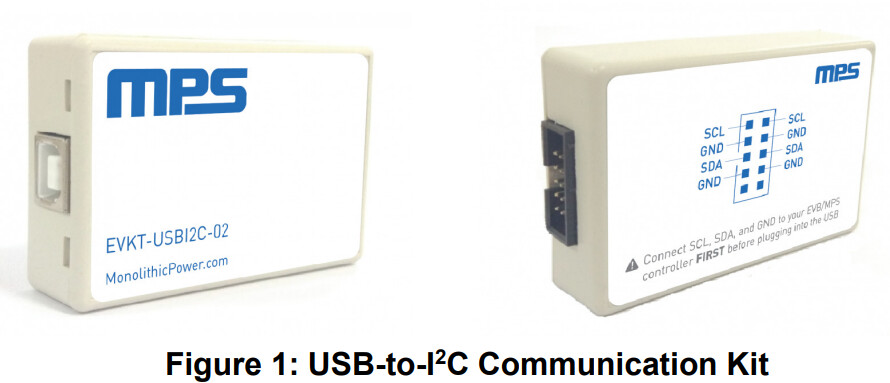
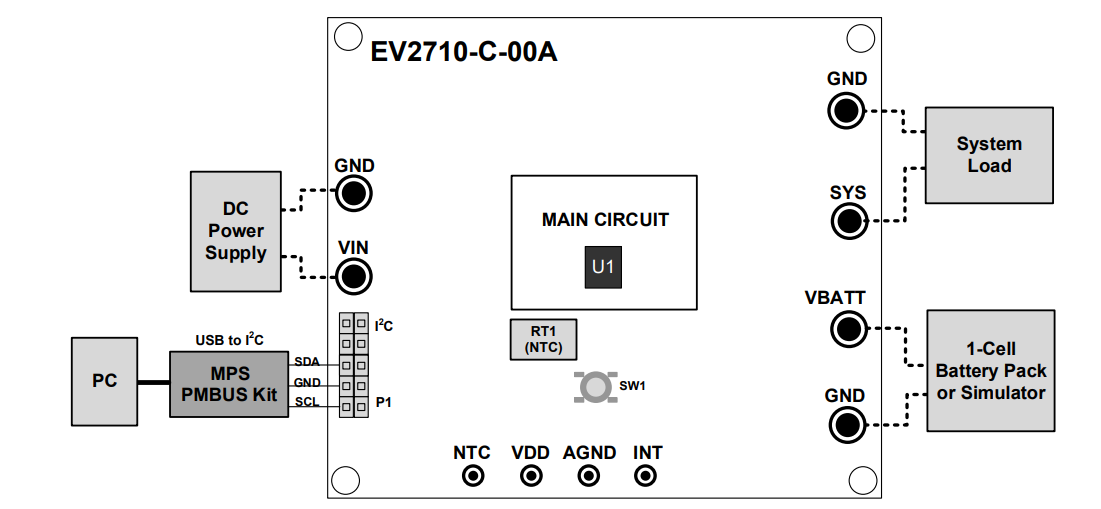
Trying to debug the MPS2710 evaluation kit here… For some reason on the bench it draws 0mA with a relatively drained battery of v3.3. I would have expected charging to begin the instant I connected the bench supply to VIN at 5.2v with a battery connected.
Without the software which I’m still waiting on for some reason, I cannot debug it further…
Pressing and holding the button for > 10 sec does nothing, nor does changing the varistor from minimum to maximum (if it was in NTC HOT or COLD).
What do you mean by waiting on the software exactly? If still needed, I can send this via the email associated with your MPS+ Customer account.
Would be happy to expedite so you can continue debugging. Check your inbox, download the GUI, and please respond here with what kind of errors are seen.
So we receive emails from MPS but there are no attachments in any email received from MPS specifically. I’ve still don’t have the software for the MP2710…
I’ll try the route of sending you the software via a OneDrive link as I said via email. I’d have to go through IT for this process. Will work towards this to make sure you get it!
So I’ve still yet to receive the link to the software. It’s been over a week. If we can’t receive it by the end of this upcoming week I’ll just have to move onto another chip.
I have to say this is really bad customer service regretfully. ST is pretty bad, but you guys are worse…
Emails with no attachments, one drive links that never come… I’ve never experienced anything quite like it in my 25+ year career.
Now that you have accepted the OneDrive link, I was able to share the MP2710 GUI. You should be able to download and use the software. Please let me know what kind of faults you see.
Apologies regarding the delay in sharing the GUI for this IC. IT has had increased security as of late and working through the sharing process definitely caused some delays.
Thanks, we finally got the software installed and it works well. We determined the 0mA draw on start is caused by REG01h, BIT 3 being set to 1 by default. Changing it to 0 in OTP did the trick.
After this change, the charging process begins normally on application of power at VIN.
I’m glad that you were able to quickly resolve this with the GUI here. Since this issue is resolved, I am going to close out this post. If you need help with anything else, please create a new post or email me.

 to working with MPS