Hello,
I purchased your MEZS7-PDCharger-MP2760 board. I followed the instructions to connect it to Virtual Bench Pro—ensuring I had downloaded the latest version—and powered the board via its Type-C port while connecting the SCL, SDA, and GND pins using the EVKT-USBI2C-02 board. However, the laptop fails to detect the device during the scan.
Hi,
Please share a snapshot of the Virtual Bench window and a photo of the USBI2C connection to the evaluation board.
Were both of these items purchased from MPS?
Thanks, Will
Here is an image of the MEZS7-PDCharger-MP2760 product I purchased. I powered the board via the USB port and connected the SCL, SDA, and GND pins of the EVKT-USBI2C-02 to CN1 according to the datasheet; however, the MPF52002 is not detected during either automatic or manual scanning.
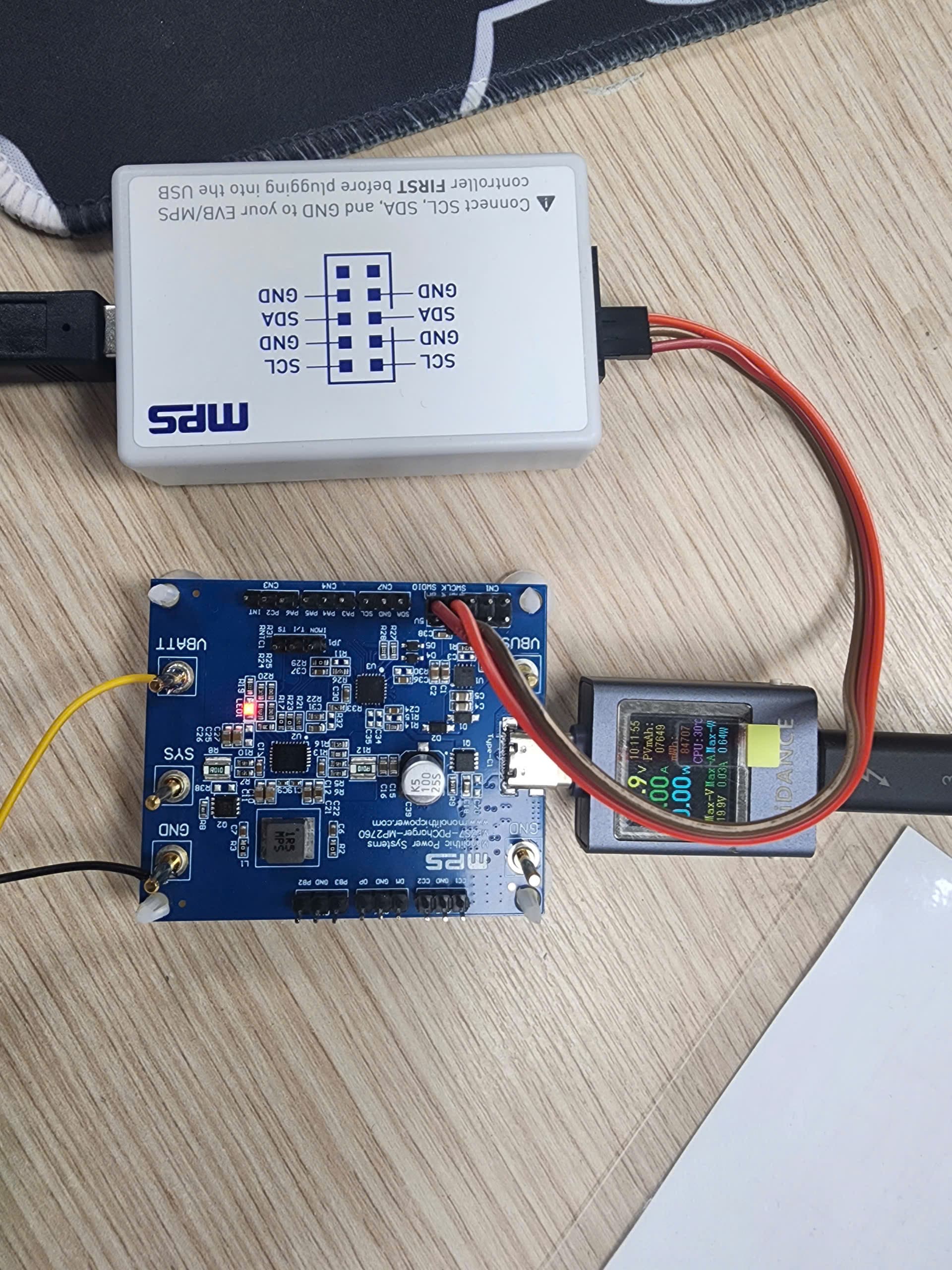
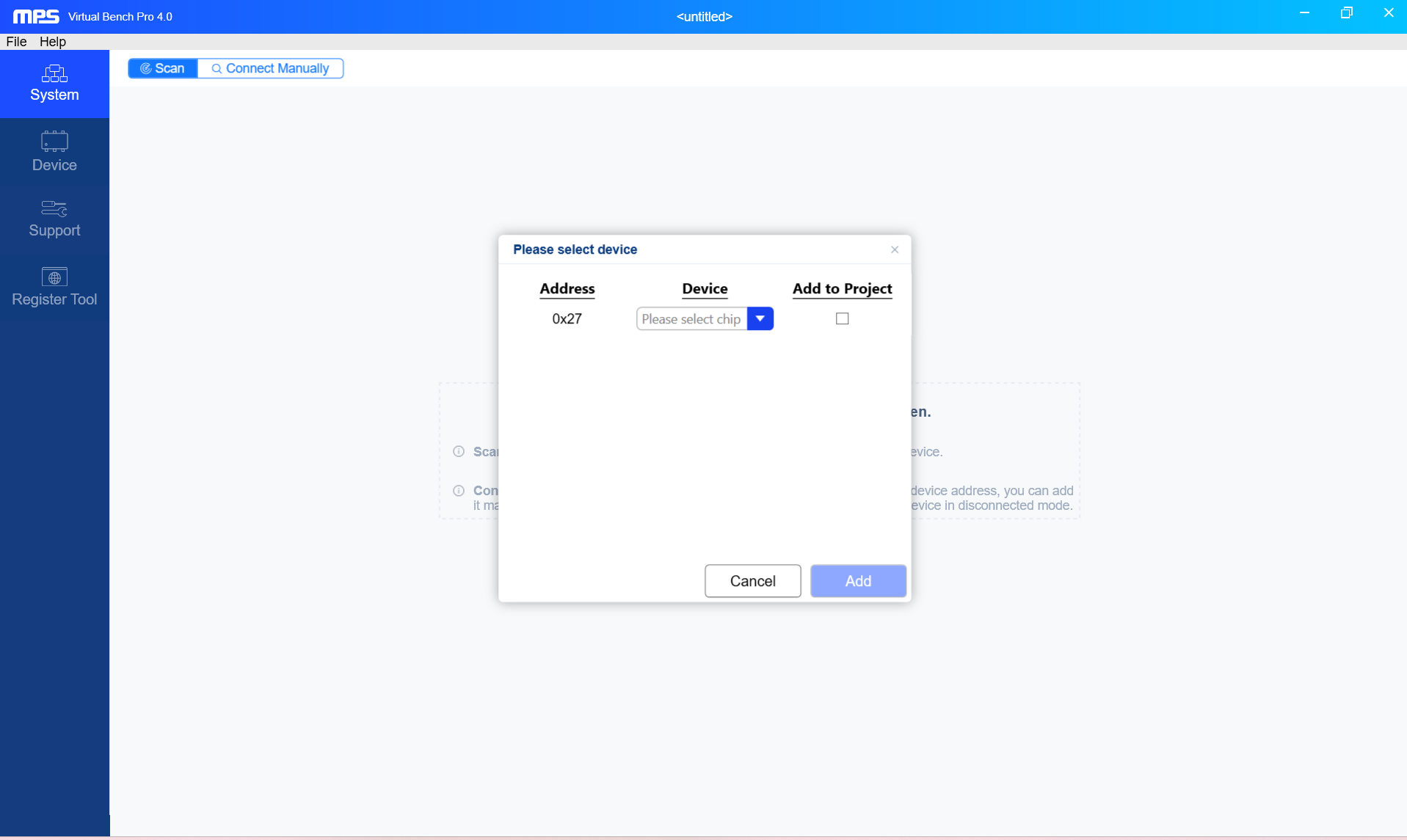
Thank you for sharing photos.
You may try to wake up the device by pulling the INT pin low to GND:
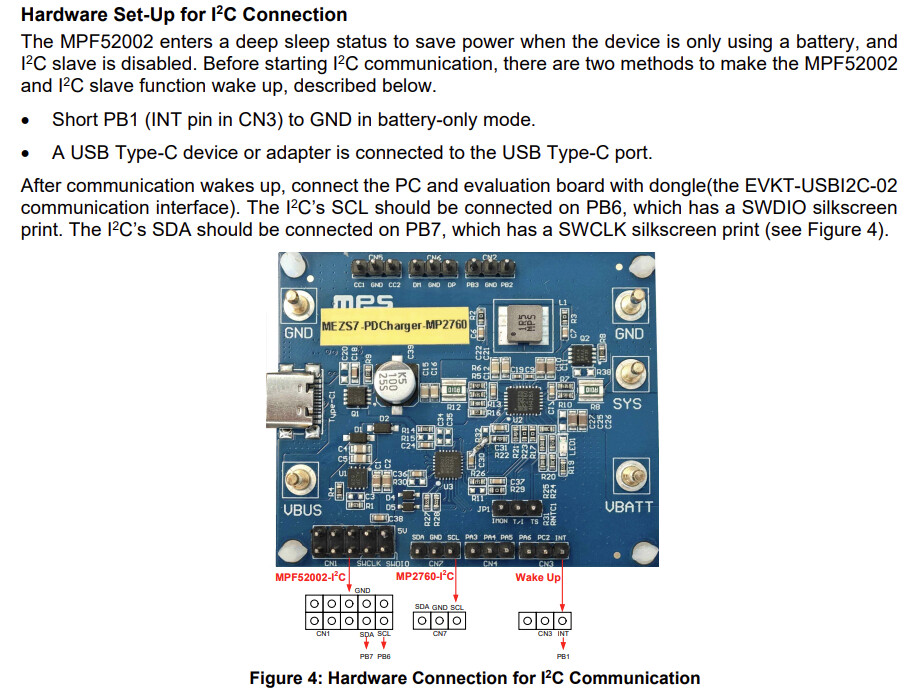
Please be sure to follow the instructions below when manually scanning:
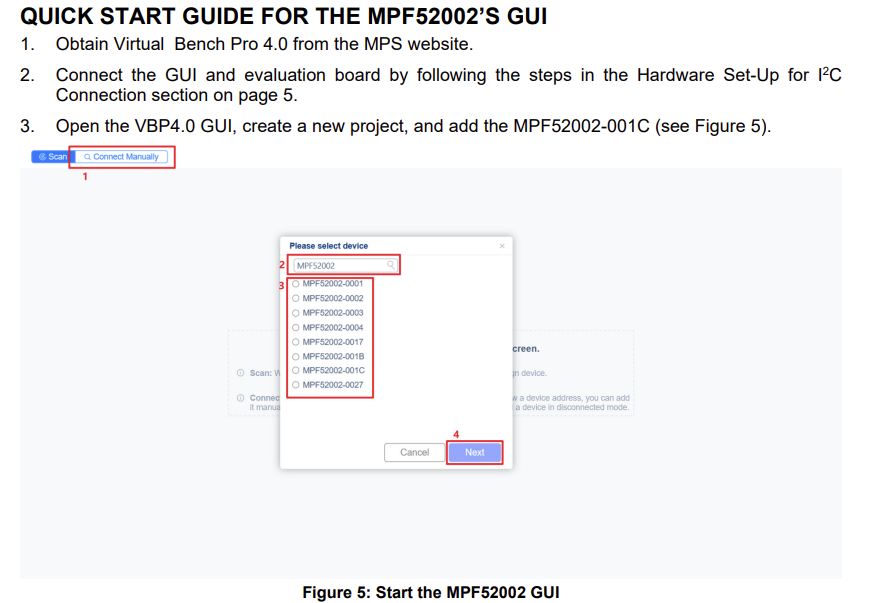
Thank you, Will
Hi William,
I also tried pulling the INT pin to GND and using battery power, but it still didn’t work. My Virtual Bench Pro 4.0 software is currently unlicensed; could that be causing an issue?