I would encourage you to read into the MPM3698 datasheet for more detail on the AVSBus mechanisms as there is significantly more detail here than anywhere else regarding the subject matter of your question.
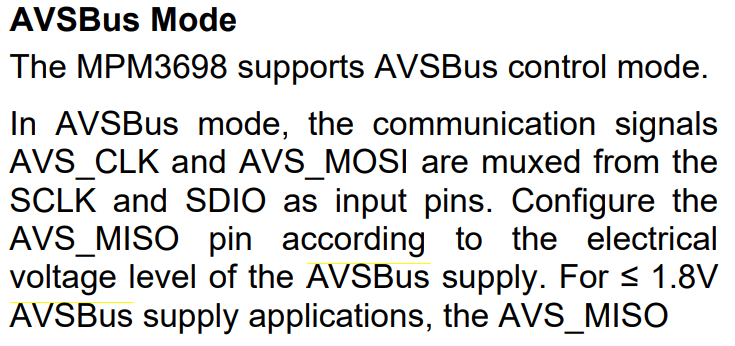
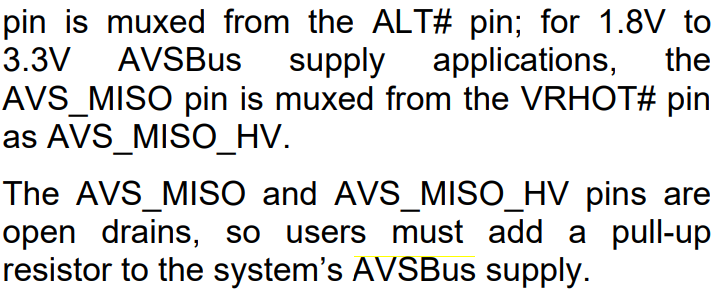
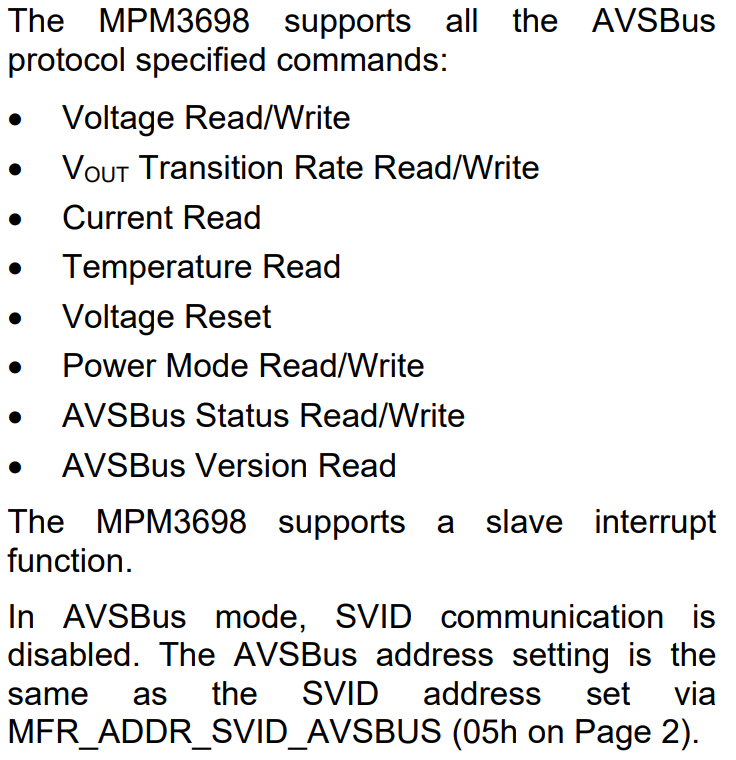
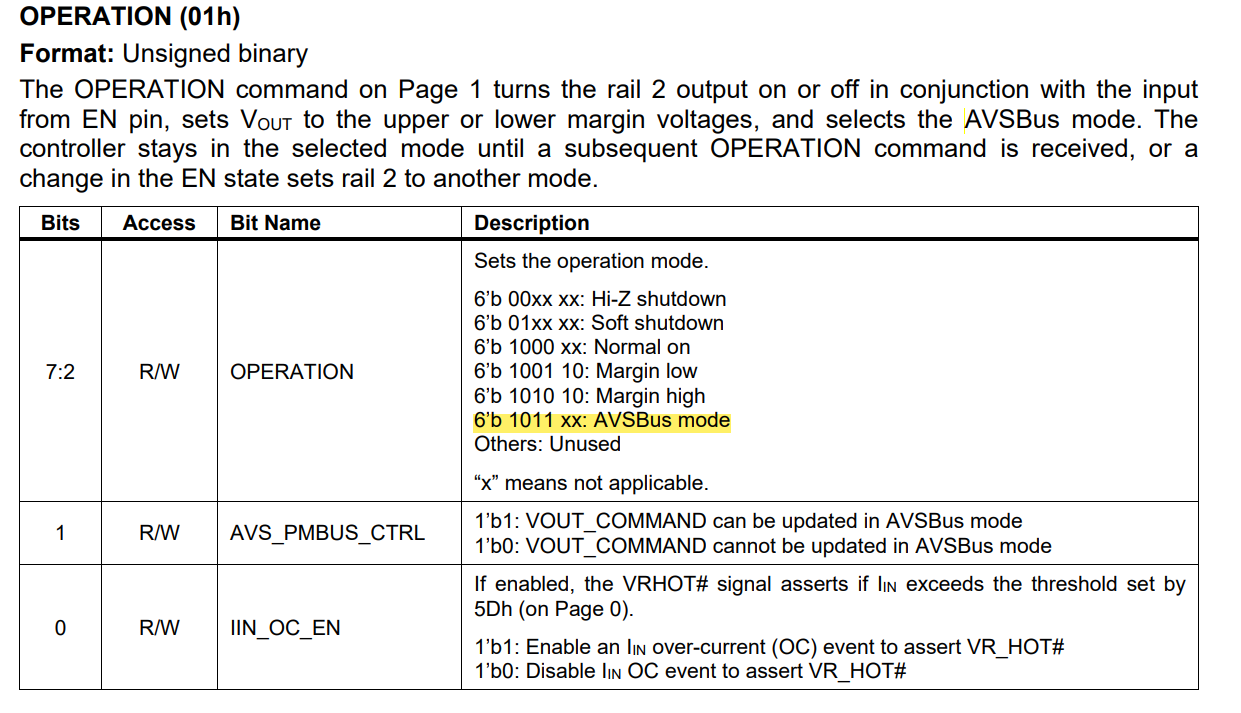
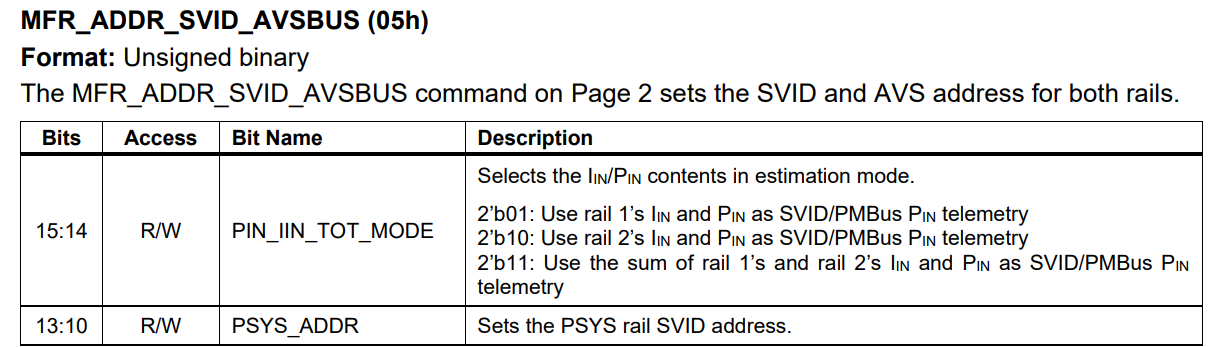
Here is what the datasheet provides in terms of supporting AVSBus on page 27 and 28:
Thank you for the reply will go through the Datasheet.
A few follow up queries:
In the EVal Board’s Datasheet/User guide there is mention of a DC Load being used. Is this strictly necessary for exercising the AVSBUS communications?
Yes, please read through the datasheet and let me know if there are any specific AVSBus questions that you may have.
I don’t think you need a load for exercising AVSBus communications. Although the majority of what is communicated is load dependent like current, temps, and transition rates.
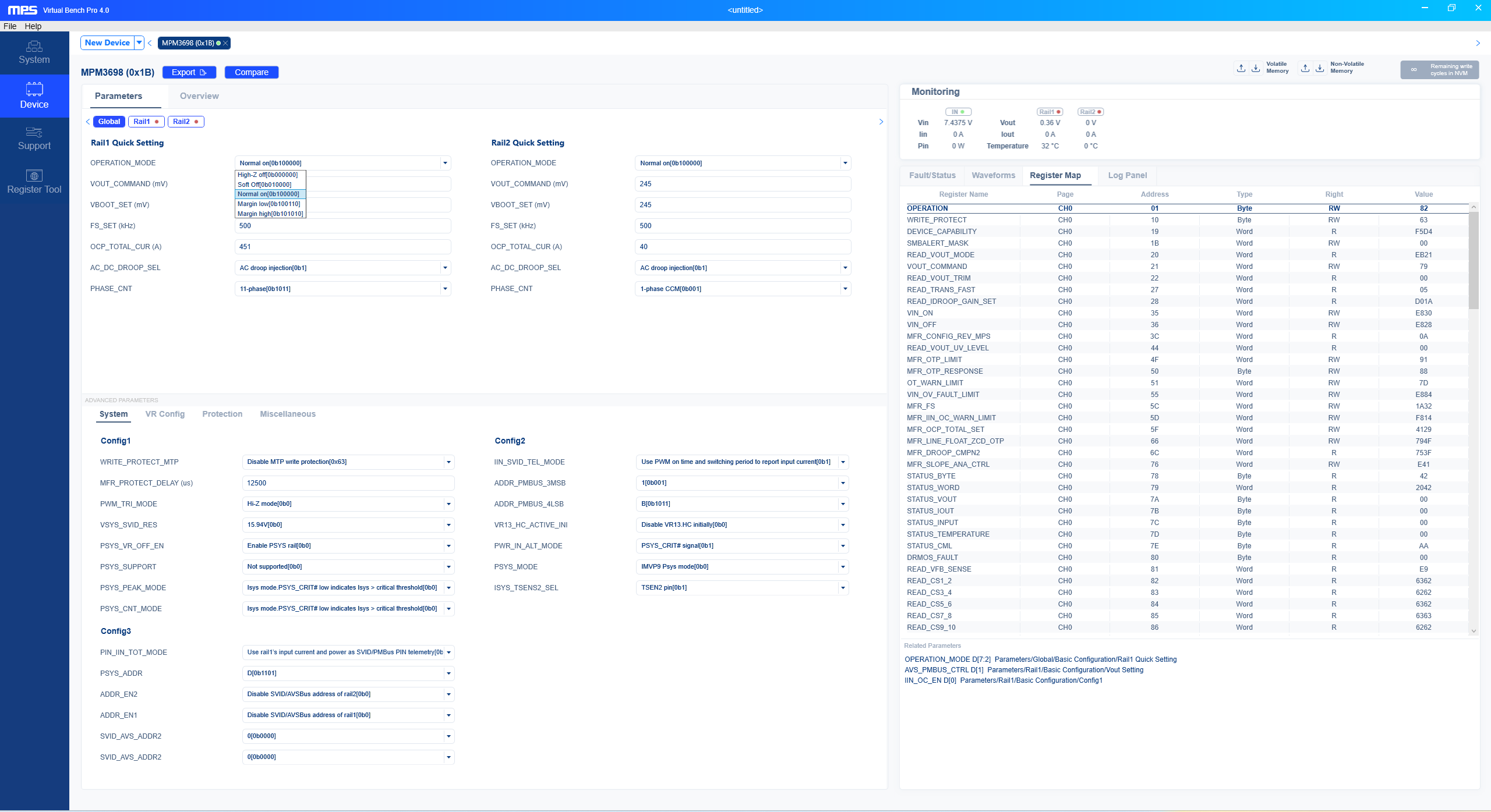
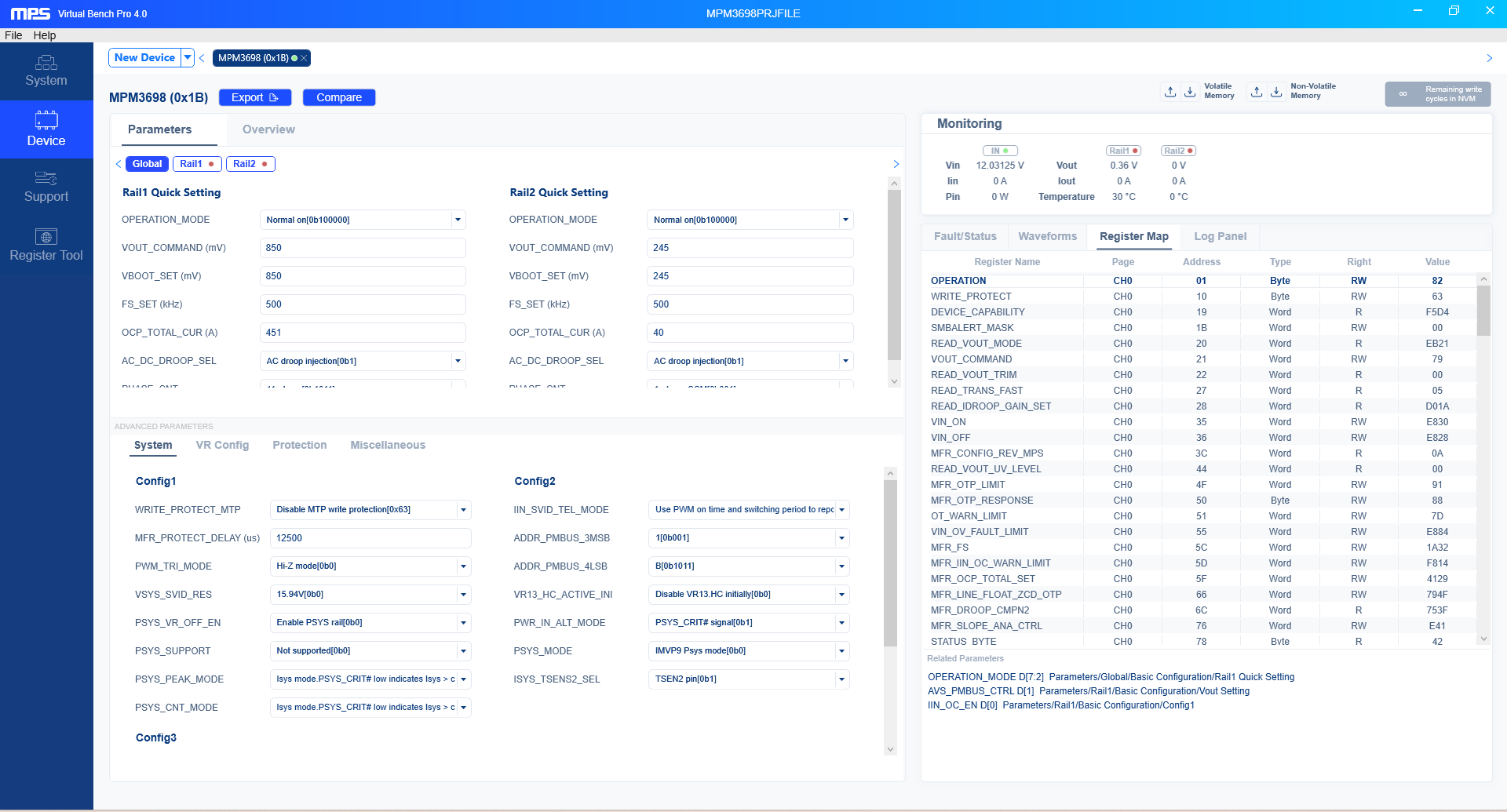
I see, this isn’t showing up in the operation options. Does scrolling down in the tab of options show this mode as a configurable setting? If not, are you able to set these bits manually to 6’b 1011 xx for AVSBus mode?
Also, are you writing to volatile memory or non-volatile memory?
For any changes that you would like to see upon turn off and turn on, writing to non-volatile memory will make these changes the new default settings.
Also, is the AVSBus addresses enabled? Be sure to do so with bits 8 and 9 set to 1’b1. Let me know if the option shows up in the operation tab after doing so. If this has already been done, then please also follow up.
I’m writing to the volatile memory, i dont need updates after power on.
Yes, I’ve enabled the addresses for both rails and set rail addresses then wrote the same to RAM, I can confirm it has taken effect as the register map reflects it.
You should see local MPS contacts reaching out to you sometime early next week on Monday. Please reach out to me if you still don’t see a message by then.
I figure more localized support will help if this issue is more complex than initially thought and would surely lead to a faster fix to this issue.
I was tied up with other tasks I will try this method out.
Someone has reached out via email but we haven’t made much progress yet , over the past week, the team which reached out have confirmed that there is no way to enable AVSBUS from the GUI without commenting on how to get it done manually.
Thanks for confirming these details with me Sadhan, I’m glad you have finally heard back from the focused team. I will advise the team that has reached out to you on next steps.
Have you tried alternatives to configure this register via a USB to I2C interface to write 6’b 1011 xx to enable AVSBus mode? Depending on the volumes needed for this module, ask that local team about setting up a suffix with these settings on by default after evaluation.
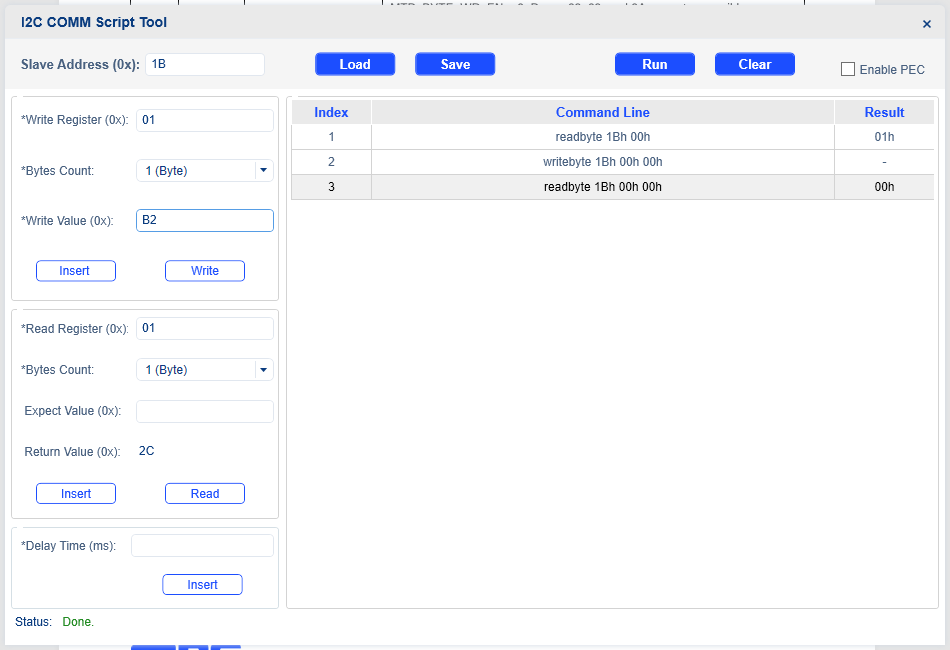
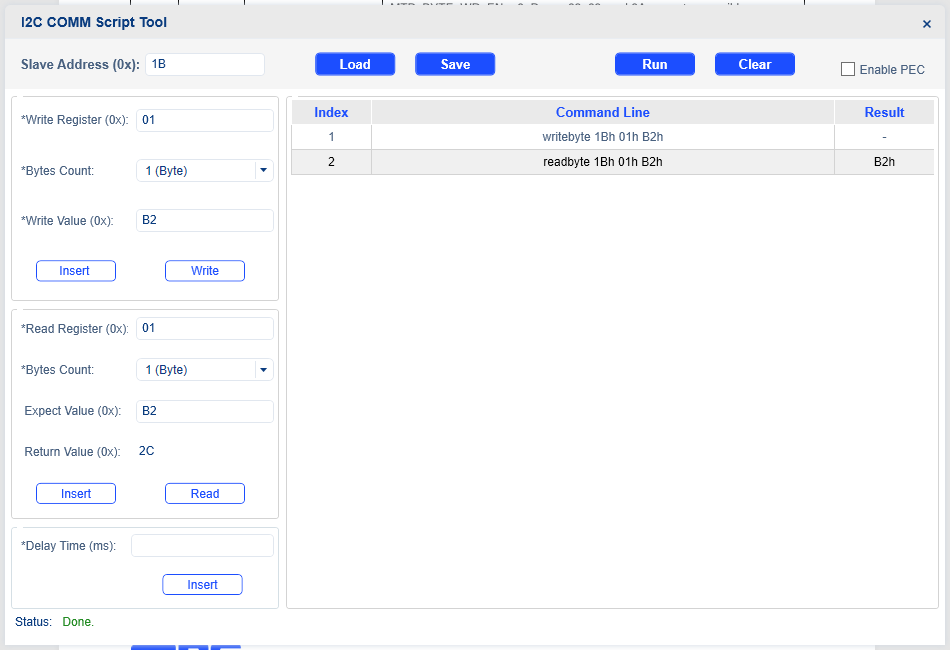
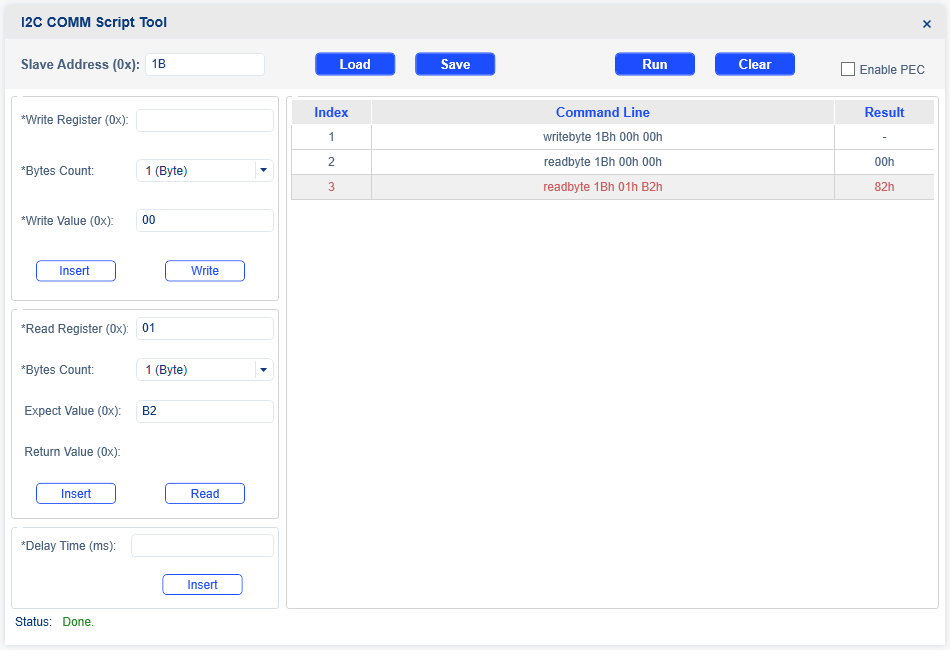
After this If I close the I2C Script tool window and go back to Device Tab then click on Save to Volatile memory the register map does not reflect the programming ,
I see the mode as 82 I confirm the same from the I2C script again by only reading